
Caley Logsdon

Rhode Island School of Design (RISD) A.I. Chatbot

The RISD Policy Chatbot provides opportunities for Rhode Island School of Design students, faculty, and staff to learn more about academic and campus policies through generative artificial intelligence.

Experience this Project

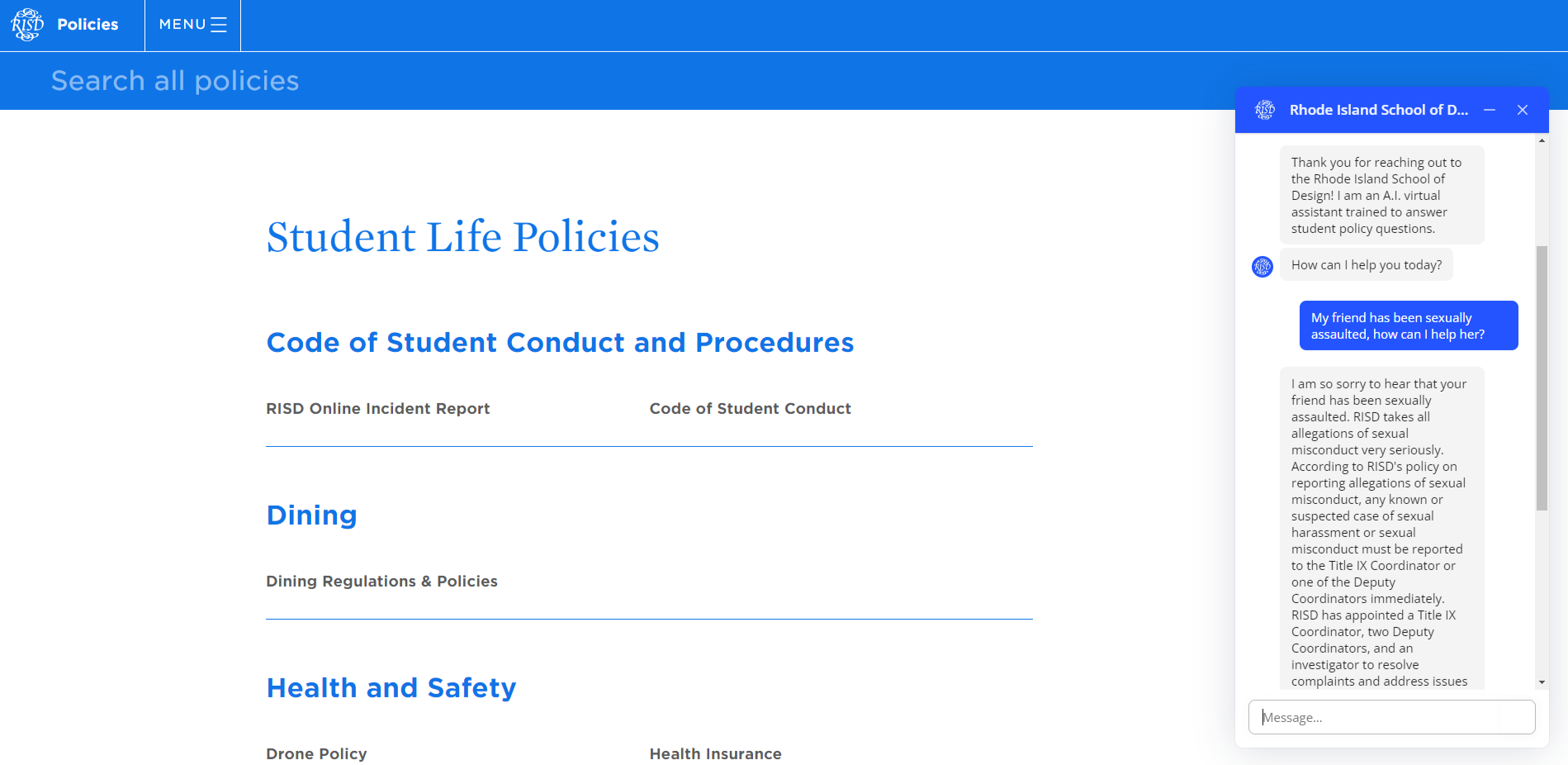
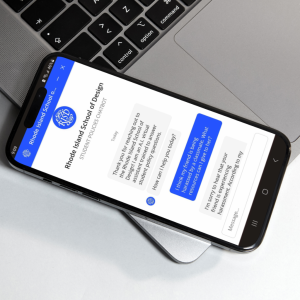
To experience this project, please click the round blue icon in the bottom right hand corner of your screen. (See example right.) The icon will have the logo for the Rhode Island School of Design in script font. To help you get started, here are a list of sample questions you can ask the chatbot:

  • When did the Brown/RISD dual degree program begin?

  • Where can I go to replace my student ID?

  • Who should I go to for academic advising?

  • How long can I take a leave of absence?

  • What should I do if I accidentally miss class?

  • Is alcohol allowed in the residence halls?

  • Can I have medical cannabis on campus?

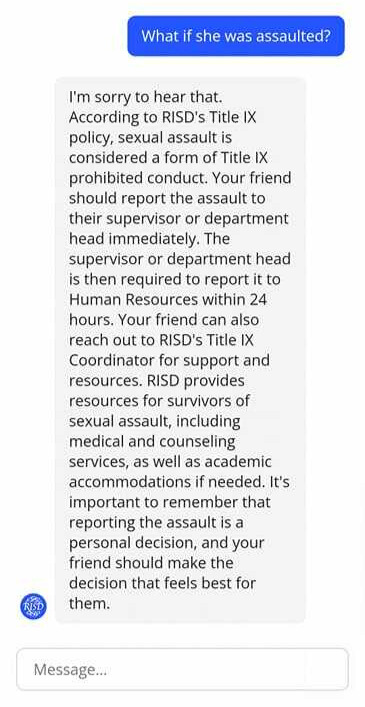
  • My friend has been sexually assaulted. What can I do to help?

Overview

With the proliferation of ChatGPT in 2023, it is clear that the “future of work” is changing—including instructional design.  Since OpenAI launched their latest large language model (LLM) ChatGPT 4.0 in late 2022, I have been intrigued with how learning and development professionals could partner with A.I. at the intersections of knowledge/content management.  Through upskilling and exploration, I quickly realized that this technology could prove incredibly useful for synthesizing large quantities of information—which was the genesis for this conceptual project.

As with any organization—especially those of higher learning—the Rhode Island School of Design has many policies and procedures for their campus community.  RISD community members can find these policies and procedures online through multiple hyperlinked pages.  However, from my prior experience working for the institution, students found it difficult finding the information that they needed quickly.  In the event of an emergency, such as a sexual assault, time matters when it comes to finding answers and resources to help a friend or even yourself after a traumatic event.  Therefore the purpose of the chatbot is to eliminate time spent combing through information and providing clear, concise information quickly–whether it is in a time of crisis or a moment of distress.  

Research & Upskilling

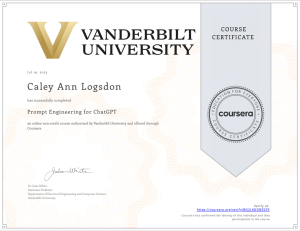
When I began this project, I had no prior knowledge about generative artificial intelligence outside of experimenting with ChatGPT in December of 2022.  My experimentation, however, quickly turned to fascination as I began taking coursework to upskill and better learn how generative A.I. works.  The 4 courses below serve as a foundation for my understanding of A.I. and were integral to this project’s completion.  On each tab, you can find not only my certificate or badge, but brief highlights from the course as well.

Knowledge Base Development

Creating a robust knowledge database is crucial for organizations adopting generative A.I. chatbots. While a Large Language Model (LLM) interacts using natural language and draws from its training, the value is immense in enabling the LLM to access external documents and links. For instance, while ChatGPT possesses general information about the Rhode Island School of Design up to 2021, it lacks specific knowledge of current policies, procedures, and university aligned responses.

To enhance this capability, I curated and incorporated publicly available PDFs, Word documents, and policy websites into the knowledge base. Emphasis was placed on utilizing regularly updated policy websites over static documents. This approach empowers ChatGPT to independently search and retrieve information from these sites, reducing the need for constant manual database updates and prioritizing policy revisions as necessary. 

Choosing a Software

Having gathered essential documents for the knowledge base, I explored hosting options for the chatbot.  During my search, I considered open-source choices like Flowrise.ai and the LangChain LLM, IBM Watson, and Google’s DialogFlow CX.  However, IBM Watson and DialogFlow CX were limited to menu-based interactions, lacking conversational capabilities.  Flowrise.ai and LangChain LLM stood out, but together they required Pinecone.io for data breakdown and cloud hosting via platforms like Render, incurring extra costs.

For the policy chatbot, I opted for Voiceflow.  Its user interface resembled Flowrise.ai, simplifying coding through nodes.  Moreover, Voiceflow eliminated the need for a vector database like Pinecone.io by hosting the knowledge base in the software.  Considering vector database and hosting expenses, Voiceflow’s cost was minimal.

Voiceflow Prototyping

In the process of crafting an AI chatbot prototype using Voiceflow, a notable emphasis was placed on prompt engineering, particularly in the reinforcement of prompt patterns to ensure greater reliability. These prompts were meticulously designed to establish a seamless and natural conversational flow, creating an engaging user experience. Through strategic testing of different language models, including ChatGPT 3.5 and Claude, the most proficient model (ChatGPT) was identified to ensure optimal user interactions.

Integral to the prototype’s success was the rigorous testing phase, ensuring that the chatbot’s responses remained aligned with RISD’s brand, policies and procedures, and effectively leveraged the policy knowledge base. This comprehensive testing procedure fortified the chatbot’s reliability and accuracy in addressing user inquiries within its designated scope. The entire design process was facilitated by Voiceflow’s intuitive node interface, circumventing the need for conventional coding while enabling a systematic approach to crafting the AI chatbot. (See screenshot below.)  The result is a prototype that seamlessly blends thoughtful prompt engineering, meticulous testing, and the capabilities of advanced language models, presenting users with an engaging, accurate, and user-friendly conversational interface.

Prompt Engineering

Below are a few prompt patterns that were used in the creation of this A.I. chatbot along with screenshots illustrating few shot prompting and sentiment analysis.

The chatbot integrates two advanced and significant prompt patterns: few-shot prompting and sentiment analysis, often referred to as “intent classifying” in the Voiceflow framework. Few-shot prompting entails training the language model using input-output pairs, commonly applied in tasks like sentiment analysis. In the context provided, the chatbot takes on the responsibility of scrutinizing and categorizing the user’s sentiment or intention, particularly regarding sensitive topics such as sexual misconduct, harassment, discrimination, bullying, and stalking. By identifying the presence of any of these specified terms in the user’s input, the chatbot discerns a negative sentiment or intent. This triggers a specialized response that takes into account potential emotional distress and offers relevant resources for support.  (Please refer to the screenshots below for a sample output.)

“Input:  If the user’s {last utterance} mentions “harassment”, “discrimination”, “bullying”, or “stalking”.  Print only 1.  Else only print 0.  Examples include “How can I help my friend who has been harassed?”, “What can I do if I am being stalked?”, “What should I do if my professor is discriminating against me?”.

Output:  If 1, “Respond to the user’s last comment {last utterance} with the relevant RISD policy.  Be compassionate, clear, and detailed in your responses”.

By utilizing the meta language creation pattern, I’ve linked specific user intents to numerical values. This innovative approach empowers the chatbot to categorize a user’s input or intention and translate it into a numeric representation. This numeric input then serves as a guide, enabling the chatbot to steer the conversation along distinct pathways based on the generated number. For instance, in the scenario below, if a user mentions “goodbye,” the chatbot assigns a value of 1 to the response, signaling the conclusion of the chat session. Conversely, if the user’s input lacks any indication of farewell or a similar intent, the chatbot designates a value of 0, allowing the conversation to persist in a continuous loop.   (Simply put, when a user says “X”, the chatbot does “Y”.)  This example also highlights the power of combining prompt patterns such as meta language creation and few shot prompting/sentiment analysis.

“If the user’s {last utterance} matches the intents “quit” or “exit”.  Print only “1”.  Else only print “0”.  Examples of quitting include “that’s all”, “I’m done”, “end”, “Goodbye””

At the heart of the chatbot’s framework lies the persona pattern. This approach entails prompting the advanced language model (ChatGPT 3.5 Turbo) to embody a particular individual or entity from the tangible world. Subsequently, the language model responds to the user’s queries from this adopted viewpoint. To illustrate within the context of this chatbot, the subsequent instance was employed:

“You are a policy analyst for the Rhode Island School of Design. You will answer the user’s questions based on RISD policies. You will be friendly and thorough with your answers.”

Also central to the chatbot’s framework, the refusal breaker pattern prevents users from receiving answers beyond the scope of the chatbot.  E.g.) Asking about Alaskan weather patterns.  Below is the prompt phrasing:

“Whenever you are asked a question outside the scope of RISD policies and procedures, do not answer it and apologize to the user.  Then redirect the user to how you can assist them.”

Chatbot Feedback

In the development process, the chatbot prototype underwent a rigorous testing phase. However, to ensure its effectiveness, I sought engagement from members of the RISD community for their valuable feedback. Employing a small focus group, I granted several RISD community members access to the chatbot, inviting them to deliberately pose irrelevant questions or attempt to confuse the system. Concurrently, I sought their insights into the chatbot’s performance in addressing genuine inquiries. The outcome proved to be overwhelmingly positive, with many community members expressing enthusiasm for the chatbot and its swift usability.

Notably, a staff member provided a particularly valuable piece of feedback. This individual highlighted that the chatbot had provided inaccurate information regarding a certain policy. Subsequent investigation into the matter revealed a contradiction between two policies, creating a challenge for the AI to determine the “correct” policy. This instance highlights the importance of data cleaning and clear policies as well as some of the current challenges we face regarding AI.  Moving forward, I hope to put this prototype through more focus group testing to look for these contradictions and improve user satisfaction concerning AI outputs.

Conclusions

Embarking on the journey of creating this generative AI chatbot has been a rollercoaster of learning and excitement for me. Experiencing the highs of its successes and the lessons in its setbacks has truly broadened my horizons. I have come to see that while AI holds immense promise, it is still finding its footing. It has been incredibly eye-opening to now understand that AI, as smart as it is, does not always get things right. We have used smart strategies like prompt patterns to keep errors in check, but it is become clear that relying blindly on AI is not the way to go. As I step back and reflect, one of the biggest takeaways is the importance of rigorous testing, fact-checking, and not taking AI’s responses at face value.

This whole experience has also given me a fresh lens on ethical AI creation. It is not just about innovation and saving time or money; it is about doing so responsibly and thoughtfully. I have realized that it is possible to create AI that enhances our workflows without compromising someone else’s livelihood. This journey has shown me the ropes of balancing technology’s potential with the real-world impact it can have on individuals and industries.